Hey there,
Seeding gets you content. Putting spend behind it needs rights. For most teams that still means DM threads, a PDF and a spreadsheet nobody trusts.
This release moves usage rights into the gifting workflow. Every asset you want to run as paid now has a dated, versioned agreement tied to the creator and the order.
1. Clear usage rights before the product ships
Say you are seeding 60 creators for a launch and plan to whitelist the top performers as partnership ads. Make paid usage and whitelisting a condition of the gift. Rights are cleared before a single unit leaves the warehouse, so there is no chasing once a post takes off.
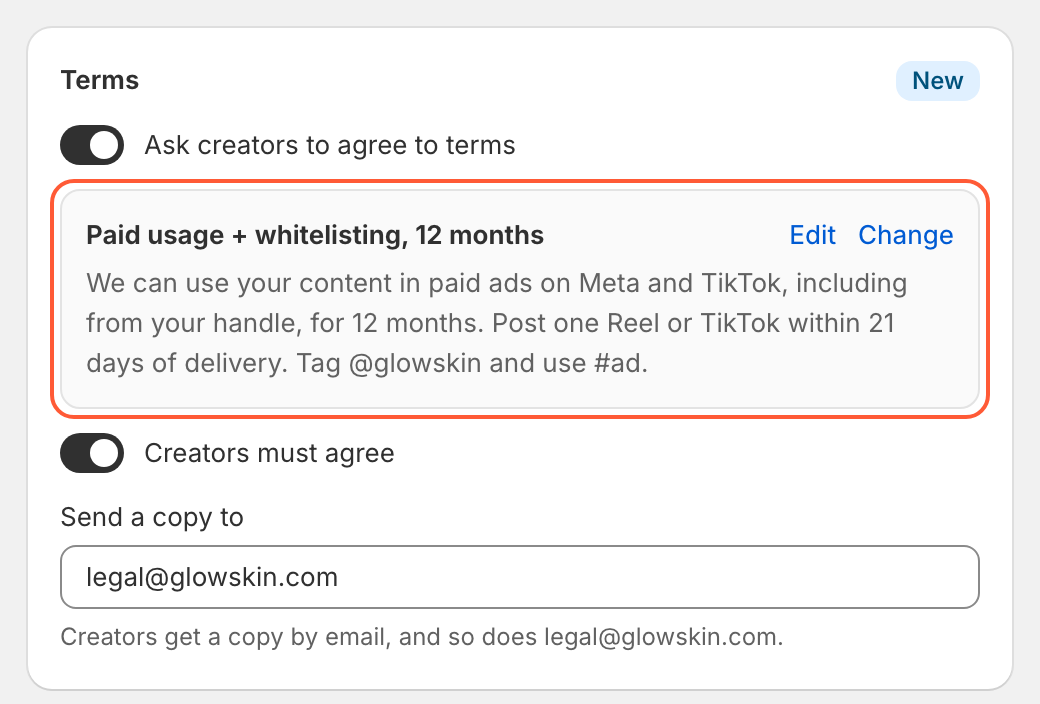
- Turn on Ask creators to agree to terms on any gifting form
- Make agreement required, or optional for organic-only seeding where you don't want the extra friction
- Add legal or your paid social lead under Send a copy to, so every signed agreement lands in their inbox
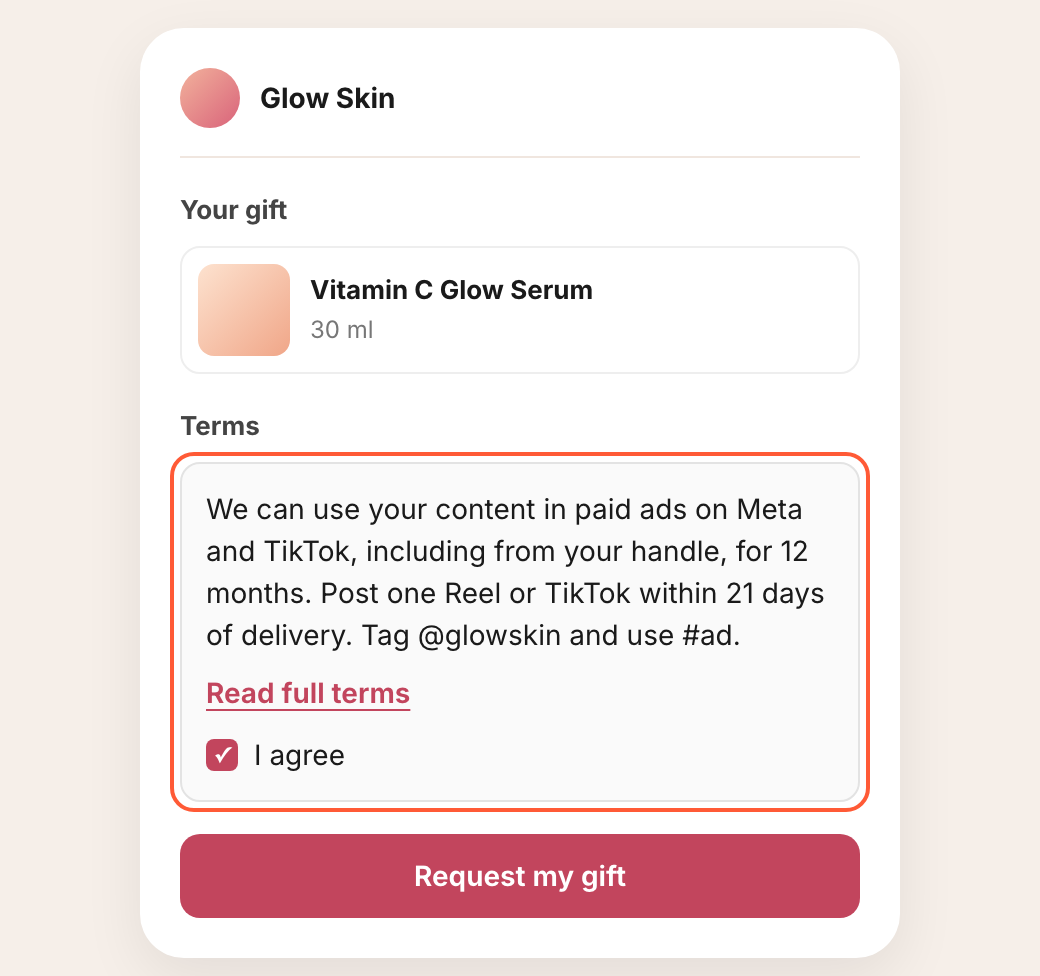
Creators see a short summary on your branded form, with a link to the full terms, and tick I agree before they submit.
2. Draft the agreement from your deal points
Give the AI your deal points: usage window, channels, whitelisting, deliverables and exclusivity. It drafts a full plain-English agreement plus the creator-facing summary.
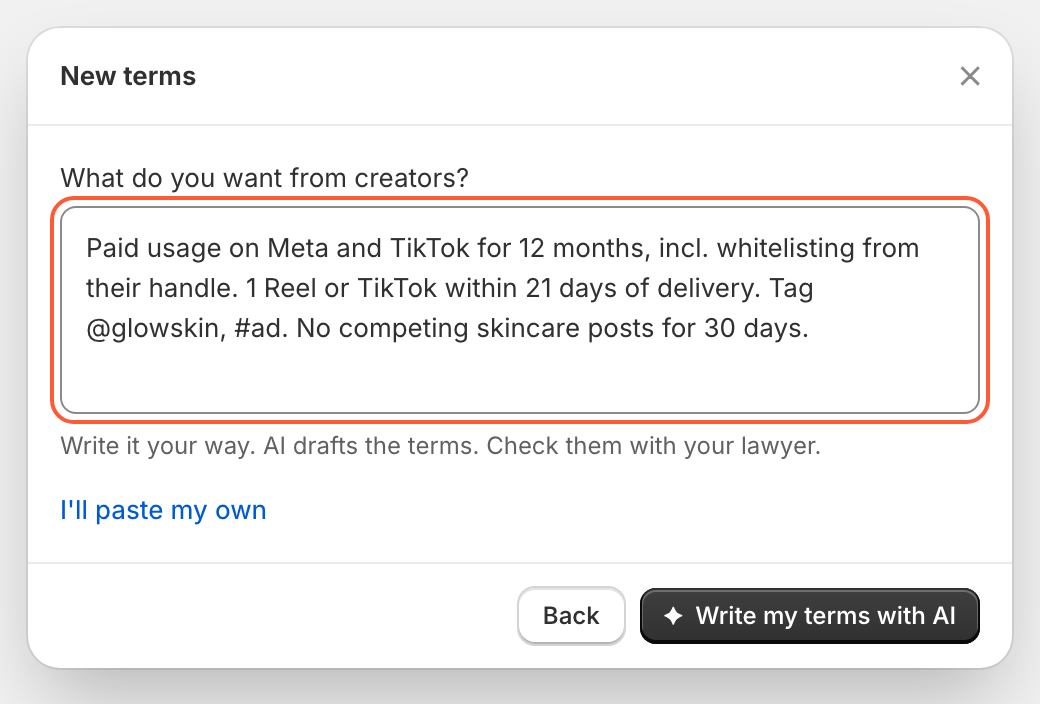
If it needs a detail like your governing law, it asks once and reuses the answer on every new set of terms. Save a template per tier, for example organic-only for micro seeding and 12-month paid usage for hero creators, and reuse it across forms.
3. Send terms after the post goes live
An organic post from last month's seeding is beating your current paid creative. You want it in your ad account this week, but that creator never signed anything. Now you send terms straight from the order or creator page.
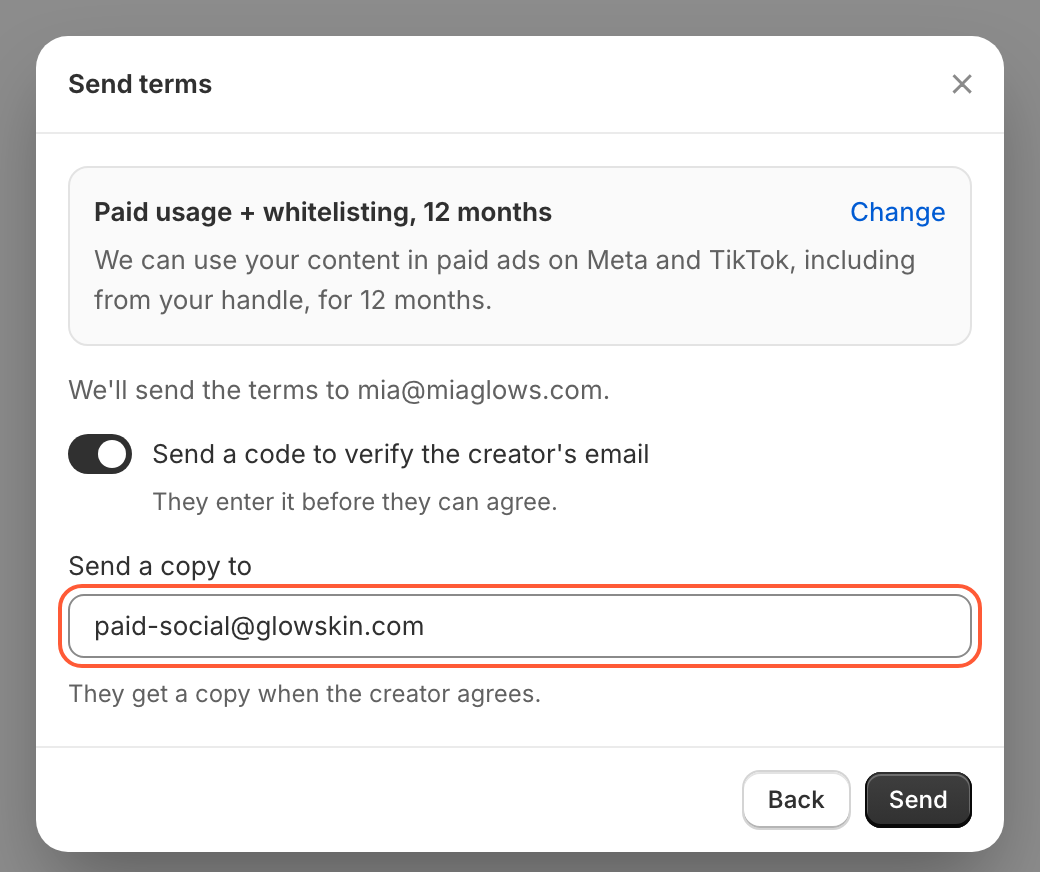
- The creator agrees on a page with your branding, and you are notified the moment they do
- Turn on email verification for a stronger record of who agreed
- CC your paid team so they can launch without waiting on you
- Resend or cancel a pending request at any time
4. A rights record for every creator
The Terms card on each order and creator page lists every agreement, with the date and the form it came from. Each one is locked to the exact version the creator saw. Edit your terms later and past agreements stay as signed.
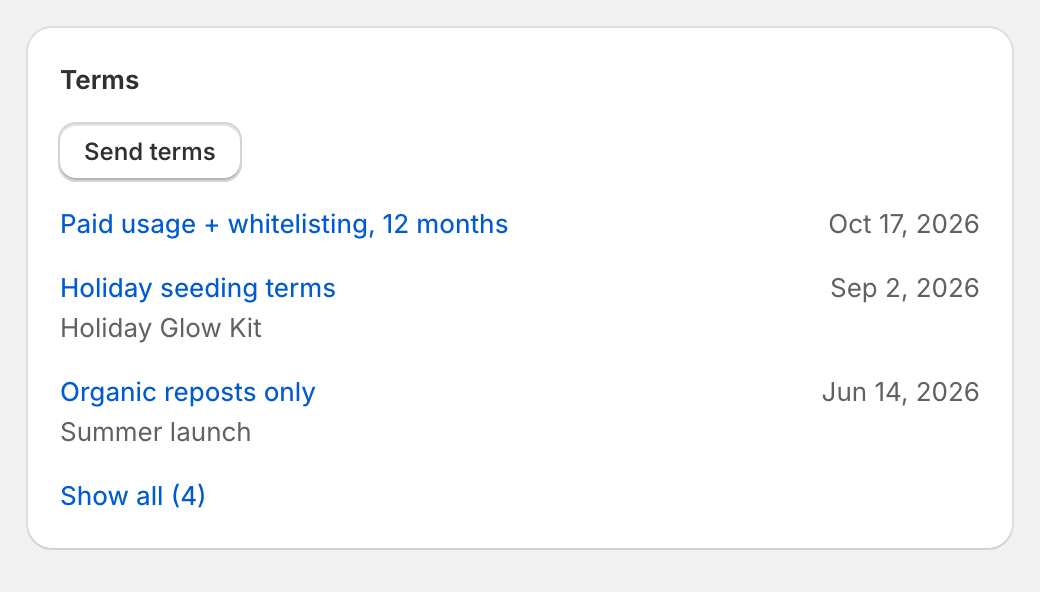
When legal or finance asks "do we have rights to this?", the answer is one click away.
5. A rights-cleared creative library
Your performance team needs fresh UGC for next week's creative test. Label posts Whitelist OK, Organic only or Hero creative, filter, and hand over a clean shortlist instead of a 300-row export.
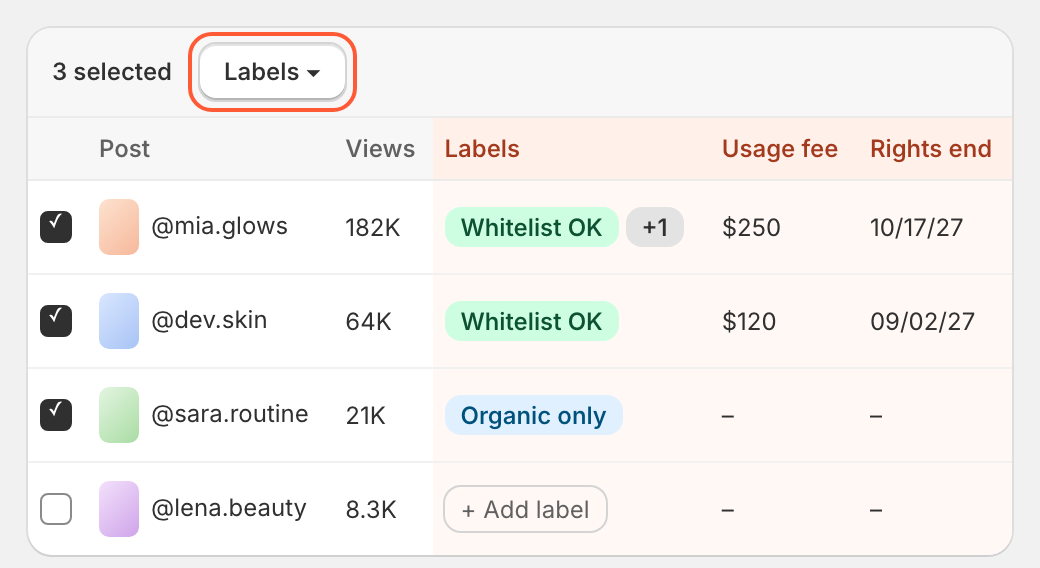
- Click any Labels cell to add or remove labels inline
- Select posts and use Labels in the bulk bar to tag dozens at once
- Filter the Content page by label
6. Your own columns on content
Track what your team actually reports on, right next to views, engagement and EMV: usage fee paid, rights end date, ad account, campaign or creative test status.
- Set them up in Settings, then Custom fields, then Content
- Text, number, date, dropdown and checkbox fields
- Show them as columns, filter by them, and get them in your content export
7. Agencies and teammates included
All of this also works in the Companion Portal. Your agency or freelance team can add terms to forms and send terms to creators without Shopify admin access.
8. Form performance from your AI assistant
With Unboxx connected to Claude or ChatGPT, one prompt pulls visits, requests and approvals for every gifting form, ranks them, and returns the right link to share.
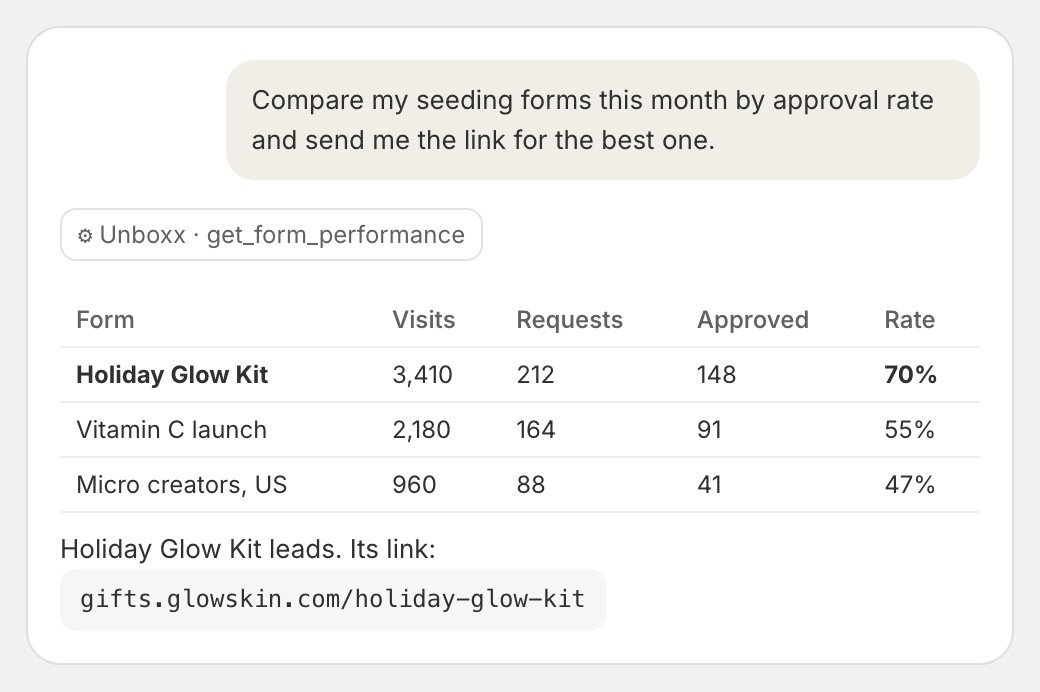
It can also set up your branded gifting link. Not connected yet? Go to Settings and open AI assistants. It is free on every plan.
Questions or ideas? Email us at support@unboxx.app. We read every email.
Best regards,
Manzoor
Founder, Unboxx